Text Encoding in NAV 2009 R2 Classic Client – Part 2
As explained in Part 1, you can import text files with encoding in Dynamics NAV 2009 R2 Classic Client and older versions.
In this follow-up, let’s use the same trick to export a text file with encoding (UTF-8 in the example below).
To illustrate, I’ll export all items in a text file from a Russian database using three possible solutions:
1. Via Dataport
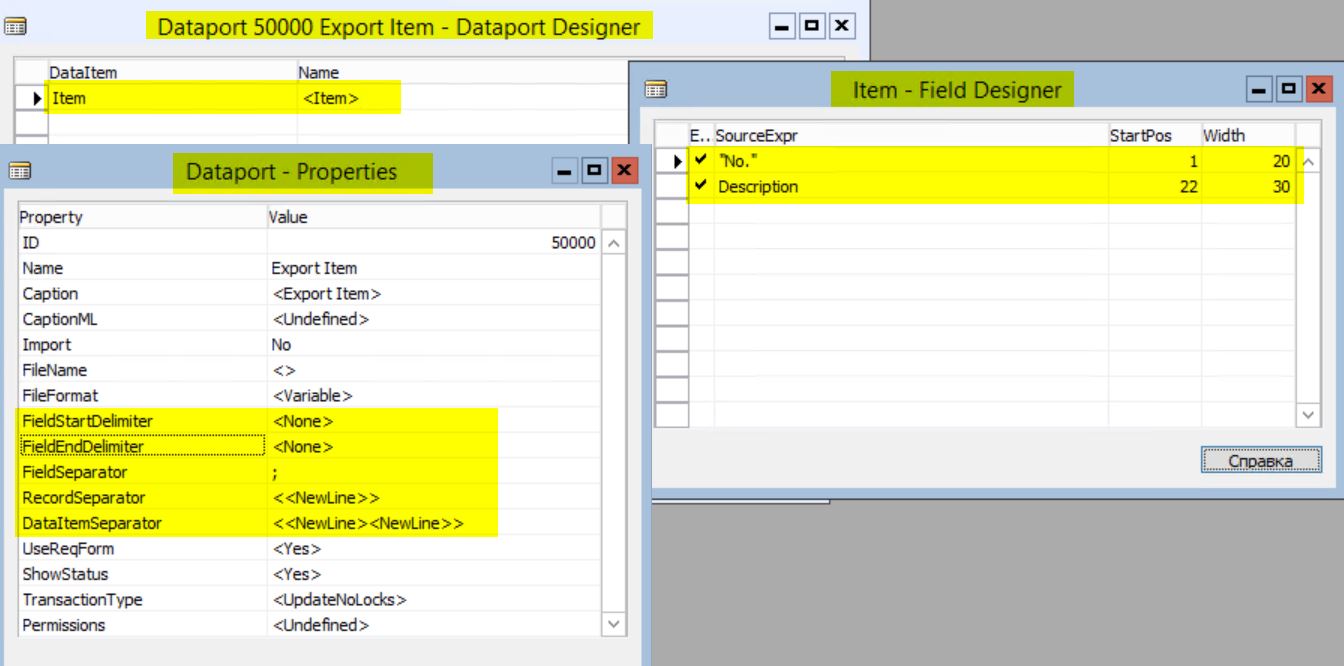
2. Via Codeunit using File variable

3. Via Codeunit using Automation (Stream)

Now, let’s see the results:
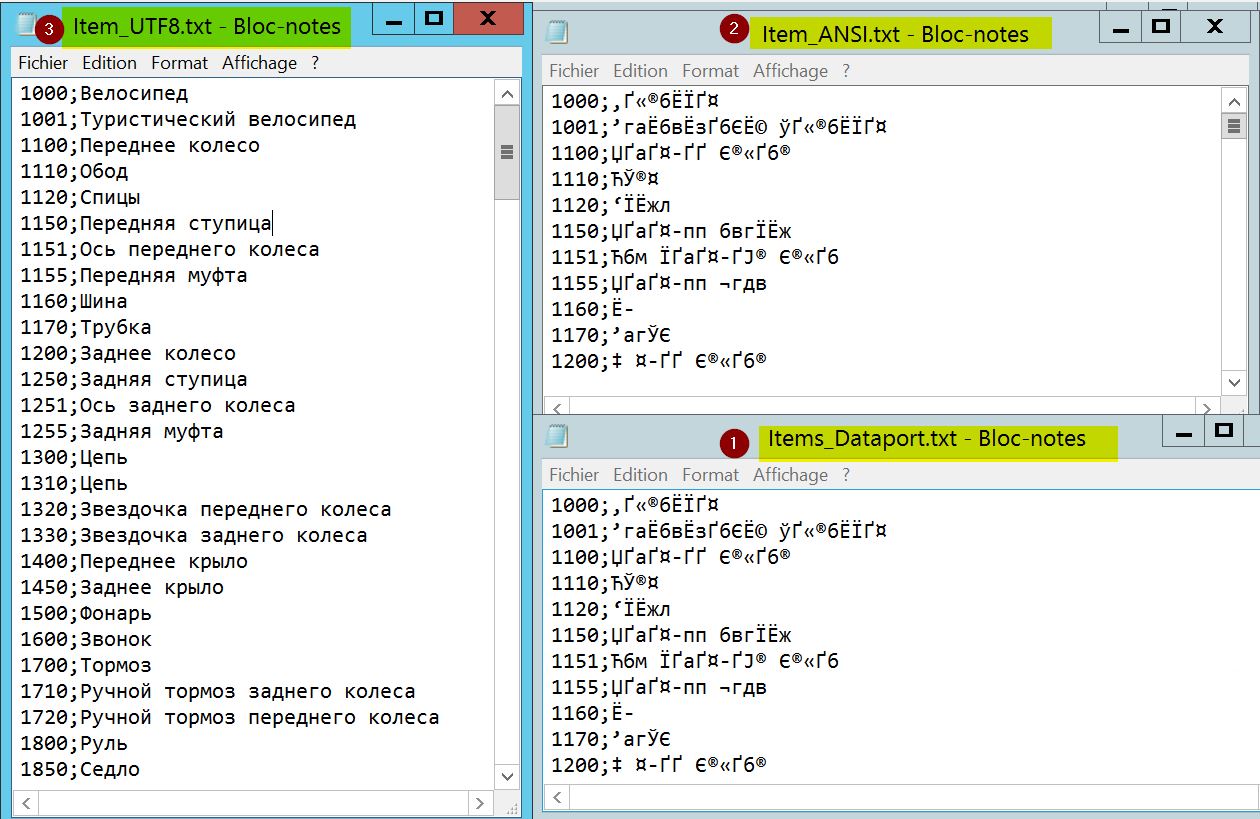
You’ll quickly notice that export via dataport or File variable does not do the job—Russian characters are not exported correctly—whereas export via Stream works perfectly.
As always, you can download the objects and files used in this post.
Related: Text encoding in NAV 2009 R2 Classic Client – Part 1
How to: Remove/Restore Departments Button
How to list “ProcessOnly” Reports in Dynamics NAV 2009
Have questions or suggestions? Reach out via LinkedIn or Twitter.