Resurrecting Table Filters & FlowFilters in Dynamics NAV Web Client
As many Dynamics NAV users know, Microsoft stated that “Using Limit totals to is not supported. Use Filter on column instead” in their Feature Limitations of the Microsoft Dynamics NAV Web Client.
Yet, accountants and power users have long relied on this functionality. As one customer told me: “I like the new web client, but I miss my flowfilters.”
Such a waste! RIP CTRL+F7 & SHIFT+F7 :’(
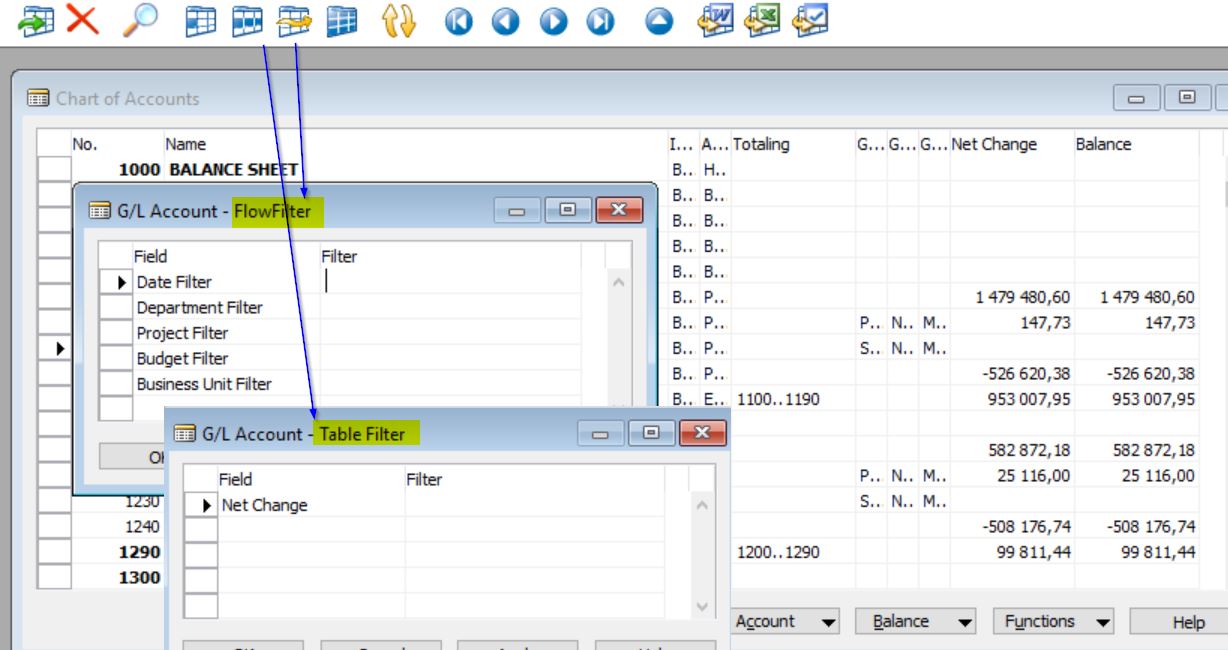
If you also miss those two lovely buttons from Dynamics NAV 2009 (Classic Client) and earlier, today you’ll learn how to bring them back.
The Solution: Table Filters in the Web Client
Today, I’ll show you how to combine these two powerful features into one tiny, reusable function (think Goku and Vegeta’s fusion—Dragon Ball fans will get it!).
Enough talk. Here’s what the new Table Filters look like in the Web Client (and yes, it works in the Windows Client too):
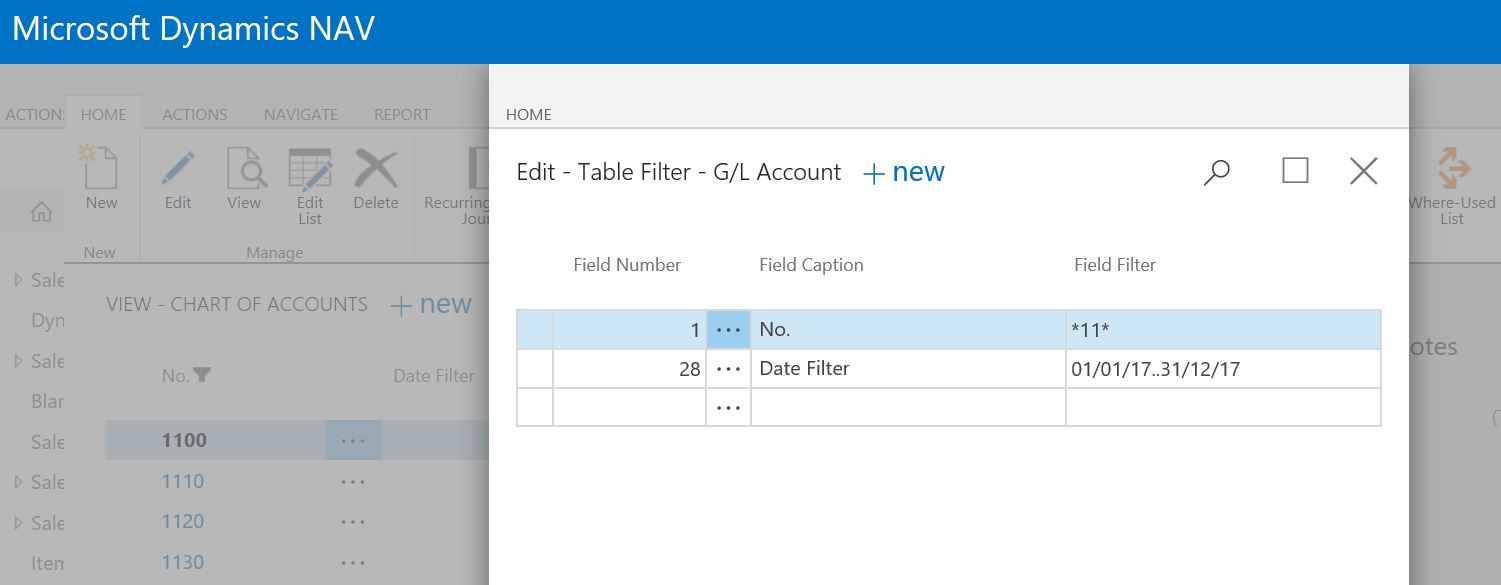
The trick is a simple action—TableFilters—that you can add to any page in your database. No need to adapt the code for different tables or pages.
Complete Code Example
Here’s the code you need:
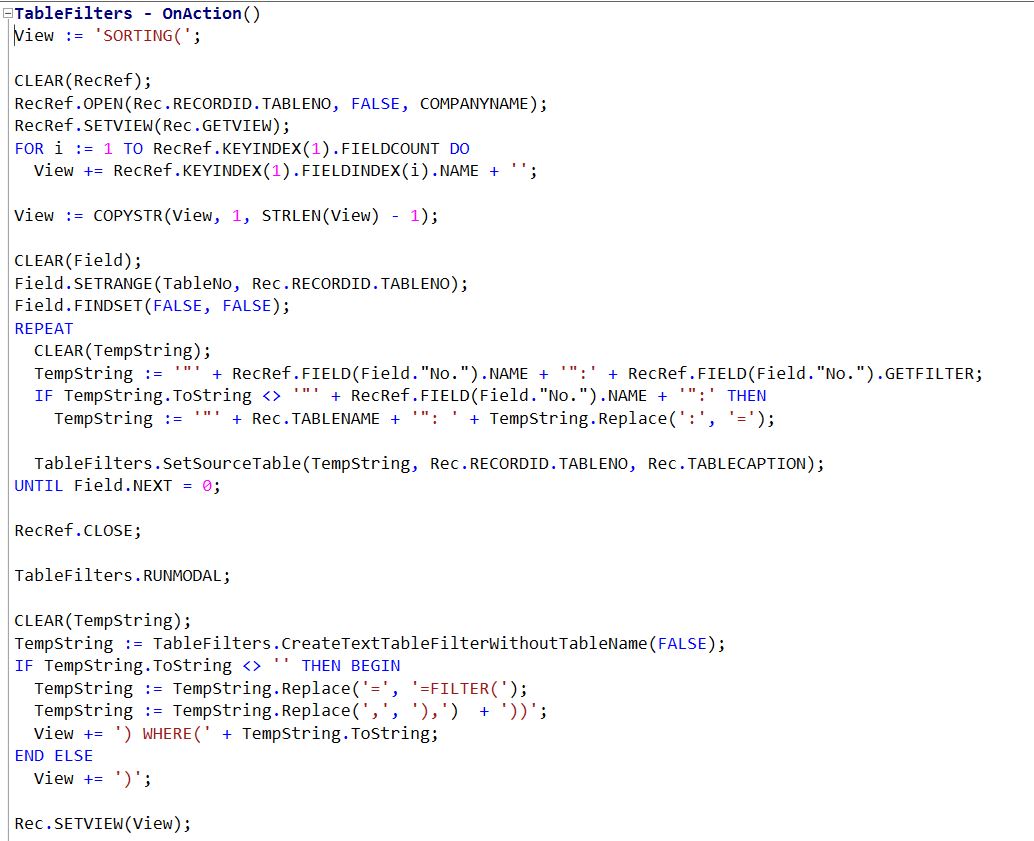
No need to guess variable types or rewrite from scratch!
For a working example, see Page 16 TableFilter. The code for NAV 2013 is included, as it required some tweaks.
Of course, feel free to enhance my “Table Filter” solution!
Hey Microsoft, maybe consider including this in all future NAV versions?
Have questions or suggestions? Reach out via LinkedIn or Twitter.